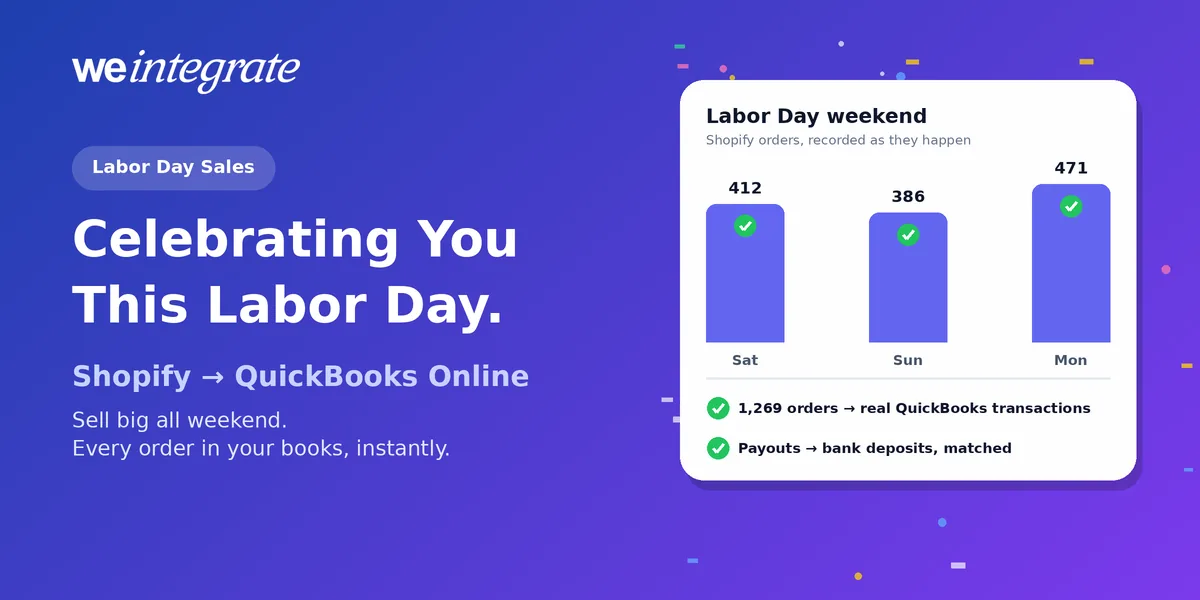
Labor Day is Monday, September 7 — a day to celebrate the people who keep things running. For Shopify merchants running their books in QuickBooks Online, that’s you: the owners, makers and small teams who pack orders at midnight and answer customer emails on Sunday. So first, from all of us at WeIntegrate: thank you, and happy Labor Day. It’s also one of the last big sales pushes of summer. The National Retail Federation’s forecasts for back-to-school and back-to-college shopping add up to a record $146.8 billion this year, with plenty of shoppers still waiting for the best deals to finish their lists. Here’s how to get your Shopify store ready for Labor Day sales — and keep QuickBooks Online current through every order, so a record weekend doesn’t turn into a mess.
Sell big this Labor Day and watch every Shopify order land in QuickBooks Online the moment it happens — real transactions, real bank deposits, reconciled to the penny.
Start Your Free TrialGet Your Shopify Store Ready for the Long Weekend
A few days of prep goes a long way. Here’s what matters most for 2026:
- Plan your discounts — and test them. Shopify lets you run up to 25 automatic discounts at once, and discount combinations decide which ones stack. Place a few test orders before Saturday so a “15% off plus free shipping” offer doesn’t quietly turn into something you didn’t mean.
- Be upfront about shipping and extra costs. Extra costs like shipping, tax and fees are the number-one reason shoppers abandon their carts, according to Baymard Institute — and about 7 in 10 carts get abandoned overall. Show shipping costs and your cutoff dates for delivery before checkout, and make your returns policy easy to find.
- Turn on abandoned checkout reminders. Shopify can automatically email shoppers who leave items behind. Check that the abandoned checkout automation is on and the timing makes sense for a weekend sale.
- Make mobile fast. Phones accounted for 56.4% of US online holiday purchases last season, according to Adobe. A well-known Deloitte and Google study found that shaving just 0.1 seconds off mobile load time lifted retail conversions by 8.4%. Trim oversized images and unused apps before the rush.
- Offer a fast checkout. Shopify reports that its one-tap Shop Pay can lift conversion by up to 50% compared with guest checkout.
- Automate the routine stuff. On most Shopify plans, Shopify Flow lets you set up simple if-this-then-that automations for your products and orders, so stock and order chores don’t pile up mid-sale.
- Double-check your tracking. For stores not on Shopify Plus, older script tags stopped running on the order status page on August 26, 2026. Make sure your analytics and ad pixels still fire before the traffic arrives.
- Plan your texts and emails. Merchants on Klaviyo saw SMS revenue jump 48% year over year over Labor Day weekend 2025, according to the company. Schedule messages ahead so you can enjoy the holiday too.
Don’t Let a Record Weekend Wreck Your Books
Here’s the part most Labor Day checklists skip. A great weekend means hundreds or thousands of new orders — and where they end up in QuickBooks Online decides whether next week is a celebration or a clean-up.
Plenty of Shopify integrations don’t keep up with the rush. They save your sales and drop them into QuickBooks as one daily or weekly lump sum — a summary journal entry standing in for every order — or they wait for Shopify to pay you out before posting anything at all. Over a holiday weekend, that gets expensive:
- Stale numbers. Saturday’s sales may not show up until the summary runs — and Labor Day is a bank holiday, so deposits land later than usual. You’re running your biggest weekend of the summer on yesterday’s — or last week’s — numbers.
- Inventory gaps. When sales arrive as a lump-sum journal entry, QuickBooks never learns which products sold — and even summaries that list products only update stock when the batch finally posts. Your counts fall behind exactly when you’re selling fastest.
- Detective work later. A long weekend of discounts, free shipping, refunds and fees rolled into a few totals is what turns month-end into a hunt. Someone ends up playing detective to find why the books don’t match the bank — the very problem we covered in Month-End Close That’s a Breeze — No Detective Work Required.
Every Labor Day Sale, Recorded the Moment It Happens
WeIntegrate keeps up with your store instantly. Every Shopify order becomes its own real transaction in QuickBooks Online the instant it’s placed — online or at your in-person POS, retail or wholesale:
- A paid order becomes a Sales Receipt — QuickBooks’ record of a sale paid on the spot — and a refund becomes a Refund Receipt.
- A wholesale order on terms becomes an Invoice — the bill you send — then a Payment when the customer pays and a Credit Memo if you credit them back, so what customers owe you is always visible, even if one QuickBooks company runs both retail and wholesale.
Each carries the details: order number, discounts, shipping and the exact sales tax Shopify collected, to the penny. And when you track products individually and set them up as inventory items in QuickBooks Online Plus or Advanced, stock counts go down as each order sells — no end-of-day catch-up, no gaps.
That means real financial visibility all weekend long. Want to know how Saturday went before Sunday’s promo email? Open QuickBooks. Your sales, refunds, sales tax and inventory are already there — not waiting for a summary, a payout or month-end.
Holiday Payouts Become Real Bank Deposits
Holiday weekends scramble payout timing. WeIntegrate doesn’t care when the money arrives — it turns every Shopify payout into a real Bank Deposit in QuickBooks Online, built from the actual orders it pays out, plus the processing fees Shopify took and any credits, chargebacks or customer card disputes, each on its own line. The deposit matches your payout to the penny and is built through QuickBooks’ own Undeposited Funds account, so when the money hits your bank, QuickBooks matches it with a click. Deposits are created weekly on Startup, daily on Basic, and several times a day on Growth and up.
After the Rush: One Screen That Proves It All Adds Up
When the long weekend’s payouts roll in, the game changer is the three-way Shopify Payout to QuickBooks Online Bank Deposit Report. It lines up what Shopify paid you, the deposit WeIntegrate recorded, and anything that needed special handling — order by order. Clean payouts show green; anything that doesn’t add up turns amber and takes you straight to the sale, refund or fee responsible. It’s how reconciling Shopify payments stops being a chore, with no clearing account to wrestle to zero. The full report comes with Growth plans and up; Basic includes a basic version.
Taxes stay where they belong, too. On Professional plans and up, marketplace sales tax — the tax Shopify collects and pays to the state for you — lands in a liability account instead of inflating your holiday sales, and shipping labels, import tax and customs duties each get their own account too.
A September Month-End That’s Already Done
Labor Day’s sales, refunds and payouts all land in your September close — and with WeIntegrate that close is a quick look: check your payouts, open anything amber, then match your bank feed and run your reports. Three steps instead of a dozen, no detective work required.
Here’s to You
Labor Day celebrates the people who do the work. For Shopify merchants in the US — and in Canada, where Labour Day falls on the same Monday — that work never really stops. Our job is to take the bookkeeping off your plate, so your best weekend of the summer stays a good memory. WeIntegrate supports QuickBooks Online in the US, Canada, the United Kingdom and Australia, plus the Global edition, and it takes about 10 minutes to set up.
Happy Labor Day.
Get Started
Start your free 15-day trial and connect Shopify to QuickBooks Online in about 10 minutes — then watch every Labor Day order land as a real transaction and every payout as a real bank deposit, reconciled to the penny. No credit card required.
See Also
- Month-End Close That’s a Breeze — No Detective Work Required — why lump sums turn month-end into a dozen-step hunt.
- The Enhanced 3-Way Shopify Payout to QuickBooks Online Deposit Report — every fee, tax and difference on one screen.
- How to Reconcile Shopify Payments in QuickBooks Online — Automatically — zero manual matching.
- Clearing Accounts, Be Gone — why WeIntegrate never needs a workaround account.
- Marketplace Facilitator Tax in Your Shopify Payout Isn’t Revenue — keeping tax Shopify collects for you out of your sales.
- The Lump-Sum Myth: Every Shopify Order Belongs in QuickBooks Online — why every order should be its own real transaction.