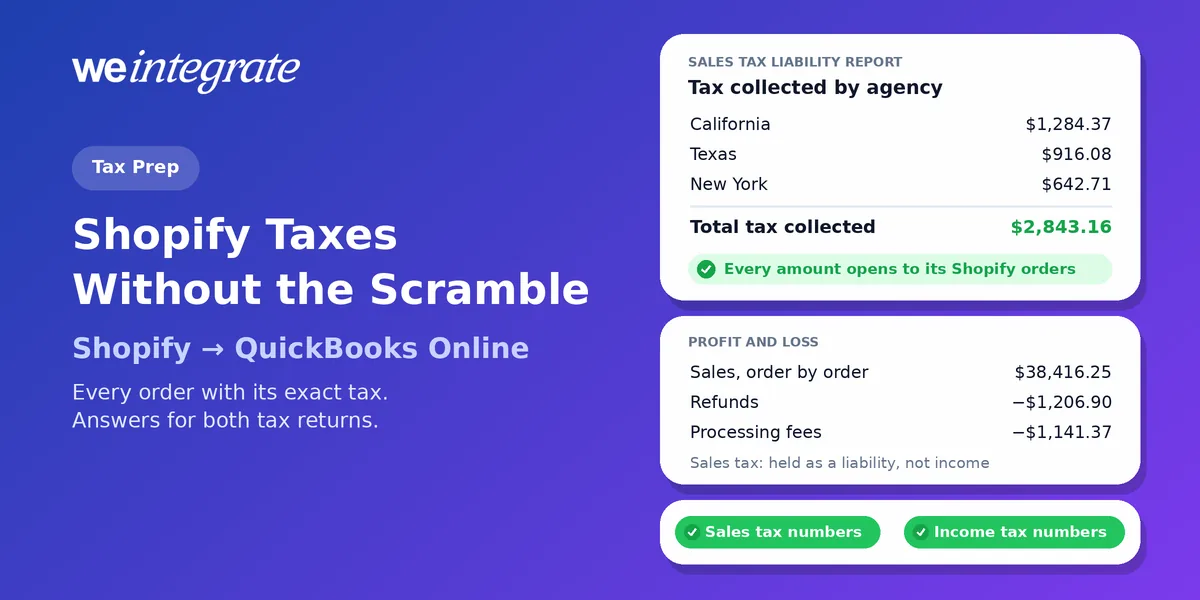
Your quarterly sales tax return is open on the screen. The form wants a handful of numbers for one state and one filing period: your total sales, the part that was taxable, and the tax you collected. Once a year, the income tax return wants the whole year — sales, refunds, fees and what your products cost. If your Shopify books are one lump sum per day or per payout, those numbers aren’t in QuickBooks Online the way the forms ask for them; they’re rebuilt from Shopify exports and spreadsheets, every time a return is due. Preparing Shopify taxes becomes a scramble. With WeIntegrate, every one of those numbers is already a report in QuickBooks Online — built order by order, to the penny, from the moment each sale happened.
Every Shopify order in QuickBooks Online with its exact tax, the moment it sells. Tax time becomes a report you run, not a pile you rebuild.
Start Your Free TrialTwo Kinds of “Shopify Taxes”, One Set of Orders
When store owners say “Shopify taxes,” they usually mean two different jobs:
- Sales tax (VAT or GST outside the US). This is money you collect from customers at checkout and pass on to the government. It was never yours — in accounting terms it’s a liability, money you’re holding for someone else. You file it monthly, quarterly or yearly, depending on the state and how much you sell.
- Income tax. This is tax on what your business actually earned: your sales, minus refunds, minus the costs of running the business — what your products cost, fees, shipping and your other expenses. You file it once a year.
Different forms, different deadlines, different people often doing the work. But both are built from the same thing: your orders. Get each order right in QuickBooks Online and both returns get easier. Get the orders wrong, or leave them out, and both get harder.
Why Lump-Sum Books Make Tax Time Slow
Plenty of Shopify integrations don’t send your orders at all. They send a summary journal entry — one lump-sum accounting entry for a day, a week or a payout — with a line for total sales, a line or two for tax and a line for fees.
The totals can be right. What’s missing is everything a tax return actually asks about:
- Where each sale shipped. Even when a summary splits tax by state, it can’t show which orders, shipped to which addresses, make up that number.
- Which sales were taxable. Exempt and non-taxable sales usually vanish into the same total.
- Which refund gave back which tax. A refund is folded into whichever day’s or payout’s total it fell in, with no link to the sale it reversed.
So the work moves back to Shopify: export the orders, filter, pivot, compare, and hope the spreadsheet matches the summary. It’s the same detective work that turns a month-end close into a dozen steps, and it lands at the worst possible moment — right before a filing deadline. Integrations that wait for the payout first add one more delay, and leave you with sales you can see but not open.
How WeIntegrate Makes Each Order Tax-Correct as It Sells
WeIntegrate doesn’t summarize. The moment a Shopify order is placed, QuickBooks Online gets that order as a real transaction of its own — every order, not a lump sum:
- A Sales Receipt (QuickBooks’ record of a sale paid on the spot) for retail and direct-to-consumer orders, or an Invoice (the bill you send) for wholesale orders on terms, followed by its Payment.
- The exact tax Shopify charged, to the penny, with each line marked taxable or not, the customer’s Bill-To and Ship-To addresses, and your QuickBooks Location — the details QuickBooks needs to place each sale with the right tax agency and support your nexus picture (where your business owes sales tax).
- Tax-exempt orders arrive with $0 tax and count as non-taxable sales, so they never inflate the tax you owe — no manual coding.
- Refunds arrive as a Refund Receipt, or a Credit Memo (a credit you owe the customer) for wholesale, tied to the original sale and carrying its tax back out.
- Shipping and discounts each get their own line, so your sales figure isn’t blurred by them. See how discounts land as their own line item.
Then every Shopify payout becomes a real QuickBooks Online Bank Deposit built from those same orders, plus the fees, refunds, chargebacks and disputes (when a customer disputes a card charge) inside it. Processing fees land in your fees account as a business expense. Depending on your plan, shipping labels and the sales tax Shopify already sent to the state on your behalf get their own accounts too, keeping tax Shopify already paid apart from the tax you still owe.
The result: your sales tax and your income tax numbers come out of QuickBooks Online itself. Not out of a spreadsheet, and not out of Shopify.
Your Tax-Time Checklist: Nine Questions Your Books Should Answer
Here’s a quick test for any set of Shopify books. If you can answer each question from QuickBooks Online alone, without opening a Shopify export, you’re ready.
For the sales tax return
- How much tax did we collect, and for which tax agency? With WeIntegrate, QuickBooks’ Sales Tax Liability report adds it up from every order. Click a tax amount and, as Intuit puts it, “a transaction report opens that shows how much tax you charged in each sale” — each one a real Shopify order.
- Which sales were taxable, and which weren’t? Every line arrives marked taxable or not, so the same report splits taxable from non-taxable sales.
- Where did each sale happen? Ship-To addresses cover online orders; your Location covers where your business physically sells, such as a shop running Shopify POS.
- Did refunds give the tax back? Each Refund Receipt or Credit Memo carries the tax it reverses, so your liability goes down with the refund.
- Which tax did Shopify already pay to the state for us? Depending on your plan, it sits in its own liability account, apart from the tax you file and pay yourself.
For the income tax return
- What were our total sales? Your Profit and Loss report shows sales built from every order — with the sales tax held aside as a liability, never counted as income.
- What did it cost us to sell? Processing fees from every payout sit in your fees account; depending on your plan, shipping labels get their own account too. Our guide to Shopify fees in QuickBooks shows why that matters for your profit.
- What did the products we sold cost us? For products you track individually and set up as inventory items in QuickBooks Online Plus or Advanced, each sale brings its product cost along. Start with your real landed cost.
- Does every dollar the bank received match the books? Every payout is a real Bank Deposit holding its own orders and fees, to the penny. Depending on your plan, the game-changing 3-way Shopify Payout to QuickBooks Online Bank Deposit Report shows any payout that doesn’t add up. See how payouts reconcile.
Filing Day, the Easy Way
WeIntegrate doesn’t file your returns — it makes sure the numbers are ready when someone does. And because orders land instantly, they’re ready every day of the year, not only after a scramble:
- For the business owner: open the Sales Tax Liability report for your filing period — the taxable sales, non-taxable sales and tax you collected are already there to fill in your return, or to hand to whoever files it. No spreadsheet to build, no export to reconcile.
- For the bookkeeper or accountant: the income tax side starts from the same books, and every figure opens into the orders behind it. A question about one sale takes a click, not an afternoon in Shopify, and every order traces back to its source.
That’s financial visibility, instantly: your sales tax owed and your profit for the year are current today, not only after month-end close or tax season.
WeIntegrate supports QuickBooks Online in the United States, Canada, the United Kingdom and Australia, plus the Global edition for more countries, where the same order-by-order detail carries VAT and GST. More on how it works on our Shopify sales tax page. Compare plans on our pricing page.
Get Started
Start your free 15-day trial and connect Shopify to QuickBooks Online in about 10 minutes — then run your Sales Tax Liability report and see every Shopify order’s tax behind it, to the penny. No credit card required.
See Also
- Physical or Economic Nexus? Where Your Shopify Store Owes Sales Tax
- Marketplace Facilitator Tax in Your Shopify Payout Isn’t Revenue
- Reconcile Shopify Payouts in QuickBooks Online Without Playing Detective
- Month-End Close That’s a Breeze — No Detective Work Required
- Your Price Tag Tells Half the Story — Know Your Real Landed Cost
- The Lump-Sum Myth: Every Shopify Order Belongs in QuickBooks Online