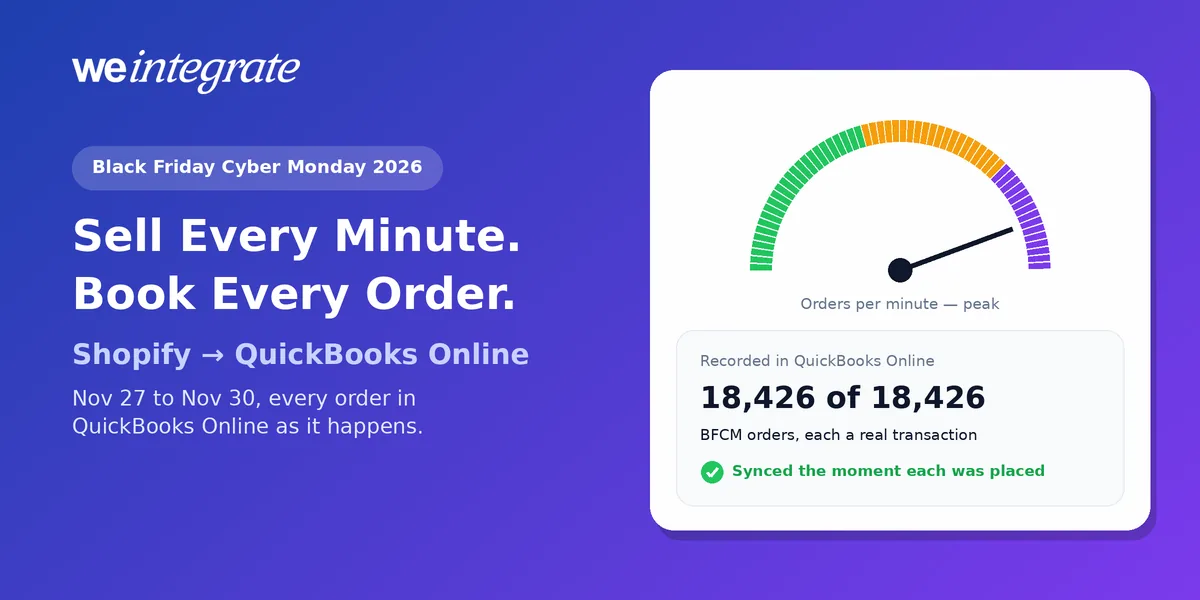
Black Friday lands on November 27 this year and Cyber Monday on November 30, and the four days between them are the most intense stretch of the Shopify calendar — and the hardest test for your books in QuickBooks Online. Last year, Shopify merchants sold $14.6 billion over Black Friday Cyber Monday, with sales peaking at $5.1 million a minute at 12:01 p.m. Eastern on Black Friday, according to Shopify’s BFCM 2025 results. This year, Adobe expects US shoppers to spend $47.5 billion online over Cyber Week, up 7.4%. Every one of those orders is a sale, a payment, a fee, sometimes a duty, and later perhaps a return — and all of it has to land in QuickBooks Online. The merchants who win BFCM 2026 will sell every minute of it, and with WeIntegrate, every one of those orders lands in QuickBooks Online the moment it’s placed, to the penny.
Every Black Friday and Cyber Monday order in QuickBooks Online the moment it's placed — real transactions, every payout a real bank deposit, reconciled to the penny.
Start Your Free TrialWhat BFCM 2026 Is Shaping Up to Be
The forecasts published ahead of the season point the same way: bigger, earlier and more mobile — and last year was already global.
- Cyber Monday stays on top, Black Friday catches up. Adobe’s September 28 forecast covers Cyber Week, Thanksgiving through Cyber Monday. Cyber Monday should pass $15 billion in a single day ($15.1 billion, up 6.2%), and Black Friday should reach $12.9 billion, growing faster at 9.2% as discounts start earlier, with Cyber Week deals up to 30% off list price, about the same as last year.
- The phone is the shop. Adobe expects a record 63% of Thanksgiving’s online spending to happen on mobile, and buy now, pay later to account for $1.09 billion of Cyber Monday’s online spend.
- AI is joining the hunt for deals. Adobe expects traffic to retail sites from AI services to rise 130% this season, and Bain & Company found 24% of online shoppers plan to start on AI platforms, up from 17% last year.
- Shoppers keep showing up. A record 202.9 million people shopped over last year’s five-day weekend from Thanksgiving through Cyber Monday, with online shoppers up 9%, NRF reported.
- The weekend is global. Cross-border orders were 16% of all orders on Shopify over BFCM 2025.
Shopify’s Own Playbook, in Brief
Shopify has published plenty of preparation advice this year, and it’s worth reading in full. A few highlights:
- Prepare the store early. Shopify’s Black Friday Checklist 2026 recommends showing shipping, taxes and fees before the final checkout step, offering guest checkout and several ways to pay, publishing a clear returns policy, and testing site speed well before the weekend. That first point matters: Baymard Institute’s research found 40% of US shoppers who abandoned a checkout blamed extra costs such as shipping, taxes and fees.
- Plan stock for demand you can’t see yet. Shopify’s 7 BFCM Strategies for 2026 suggests buying safety stock, setting low-stock alerts, and matching each discount to how much inventory you can afford to move.
- Schedule the campaign so it runs itself. Shopify’s guide to planning a BFCM campaign with Rollouts shows how to set theme, discount and catalog changes to go live and end on schedule, market by market.
Notice what those checklists leave to you: the books. That’s where WeIntegrate comes in.
5 Moves to Get Your Books BFCM-Ready Before November 27
1. Make Every Promotion Show Up in Your Numbers
BFCM is a discount weekend, so you’ll want to know exactly what each offer cost you. WeIntegrate can record Shopify discounts as their own line item on every Sales Receipt, Refund Receipt, Invoice and Credit Memo, instead of hiding them inside lower prices. On Monday morning, QuickBooks Online can tell you how much you gave away and what it bought you.
2. Expect More Ways to Pay — and Know Which Was Used
Shop Pay, buy now pay later, wallets, gift cards: BFCM shoppers pay in every way your checkout allows. WeIntegrate records every order as its own real transaction — a Sales Receipt (QuickBooks’ record of a sale paid on the spot) or, for wholesale customers on terms, an Invoice — with the payment method on the order, the moment it’s placed. You never have to work out after the fact which money came from where.
3. Get Cross-Border Orders Right From the First One
With one order in six crossing a border last BFCM, international sales are no longer an edge case. If Shopify collects duties and import taxes from your international customers at checkout, that money was never your revenue. On Professional plans and up, WeIntegrate posts each to its own account on the payout deposit — customs duty and import tax — as liabilities, money you’re holding for someone else. And if you sell from Canada, the UK or Australia, or on the Global edition, WeIntegrate supports your QuickBooks Online edition too.
4. Let the Payouts Prove the Weekend
Your BFCM sales will arrive in your bank over the following days as a run of Shopify payouts. WeIntegrate turns each one into a real Bank Deposit in QuickBooks Online, made of the actual orders it pays out plus the fees, refunds and chargebacks (when a customer disputes a card charge), equal to the payout to the penny. Deposits are recorded weekly on Startup, daily on Basic and several times a day on Growth and up, and on Growth and up the three-way Shopify Payout to QuickBooks Online Bank Deposit Report lines every BFCM payout up against its deposit — green when it’s clean, amber the moment something needs a look.
5. Plan Now for the Returns That Follow
Big weekends bring returns. WeIntegrate records each one as a Refund Receipt, or a Credit Memo for customers on terms, linked back to the original BFCM sale, so January’s returns don’t blur December’s numbers. And for the free gift orders and giveaways that BFCM campaigns often generate, the new Order total is 0.00 rule, part of Conditional Sync Rules on Growth and up, can keep no-charge orders out of QuickBooks if you’d rather.
For the season-wide checks — choosing a plan for your peak month, matching new products, and sales tax by order — see 5 Q4 Tips for Shopify and QuickBooks Online.
Why Lump Sums Lose the Weekend
An integration that waits until tonight, or the end of the week, to post your sales as one summary journal entry turns your biggest weekend into a handful of totals. You can’t open Friday’s total to see which promotion worked, which products sold out, or which customer came back. When a payout doesn’t match, there’s nothing inside the summary to explain it. And the answers you need most — what to restock, where to spend on Cyber Monday — arrive after the weekend is over. As we put it in Phantom Sales, payouts aren’t your sales; they’re deposits.
WeIntegrate does it the other way around: every order, as a real transaction, the moment it’s placed. When orders arrive by the minute, that’s the difference between watching the weekend and steering it.
Your AI Can Only Read What Your Books Recorded
This is the first BFCM where many merchants will ask an AI how the weekend went. ChatGPT and Claude now work with QuickBooks Online, and QuickBooks has AI agents of its own, as we covered in WeIntegrate Is Needed More Than Ever. That’s a powerful way to read your numbers — but an AI can only work with what’s actually in your books.
Feed it a delayed lump-sum data dump and the context is simply gone. A summary journal entry reading “Shopify sales — Nov 27: $48,912.40” gives an AI one number and nothing behind it: no orders, no customers, no products, no discounts, no tax by order, no link to the payout that paid it. Ask which promotion drove Black Friday, which products sold out by Monday, or why a payout came in short, and the honest answer is that the books can’t say. A guess is worse.
WeIntegrate gives your AI the context it needs. Every BFCM order is a real Sales Receipt or Invoice with its customer, products, discount, shipping and exact tax. Every payout is a real QuickBooks Online Bank Deposit made of those orders, with each fee, refund and chargeback on its own line, reconciled to the penny. So the questions that matter after a record weekend finally have answers you can check:
- Which discount brought in the most sales on Black Friday?
- Which products sold out over the weekend, and which customers came back on Cyber Monday?
- Did every BFCM payout reach the bank — and if one didn’t add up, which order, fee or chargeback explains it?
- How much sales tax did the weekend collect, and for which states?
Real transactions in, real answers out. Lump sums in, and even the smartest AI is left guessing.
The Tuesday After Cyber Monday
Picture December 1. The sale is over, the inbox is full, and the books are already done. Every BFCM order is in QuickBooks Online as a real Sales Receipt or Invoice. The first payouts are real Bank Deposits that match your bank feed. Your discounts, fees and cross-border duties are each where they belong. Your Profit & Loss already shows how the weekend went, and closing November takes three steps, not a dozen.
WeIntegrate supports QuickBooks Online in the US, Canada, the United Kingdom and Australia, plus the Global edition.
Get Started
Start your free 15-day trial and connect Shopify to QuickBooks Online in about 10 minutes — every Black Friday and Cyber Monday order a real transaction the moment it’s placed, every payout a real bank deposit, reconciled to the penny. No credit card required.
See Also
- Busiest Quarter Ahead: 5 Q4 Tips for Shopify and QuickBooks Online — season-wide integration checks.
- You asked, we listened: Shopify Discounts now available as QuickBooks Online Line Item Too — see what every promotion cost.
- Sync Shopify Refunds to QuickBooks Online Automatically — Real Refund Receipts, Credit Memos, and Reconciled Payouts — ready for returns season.
- Customs Duties on International Shopify Orders Are a Pass-Through Liability — cross-border duties, booked right.
- Phantom Sales: Are Your QuickBooks Online Sales Built From Payouts? — why payouts aren’t your sales.
- Month-End Close That’s a Breeze — No Detective Work Required — closing November after a record weekend.
- Claude, ChatGPT, Gemini, DeepSeek, MCP — WeIntegrate Is Needed More Than Ever — why AI needs real transactions to read.