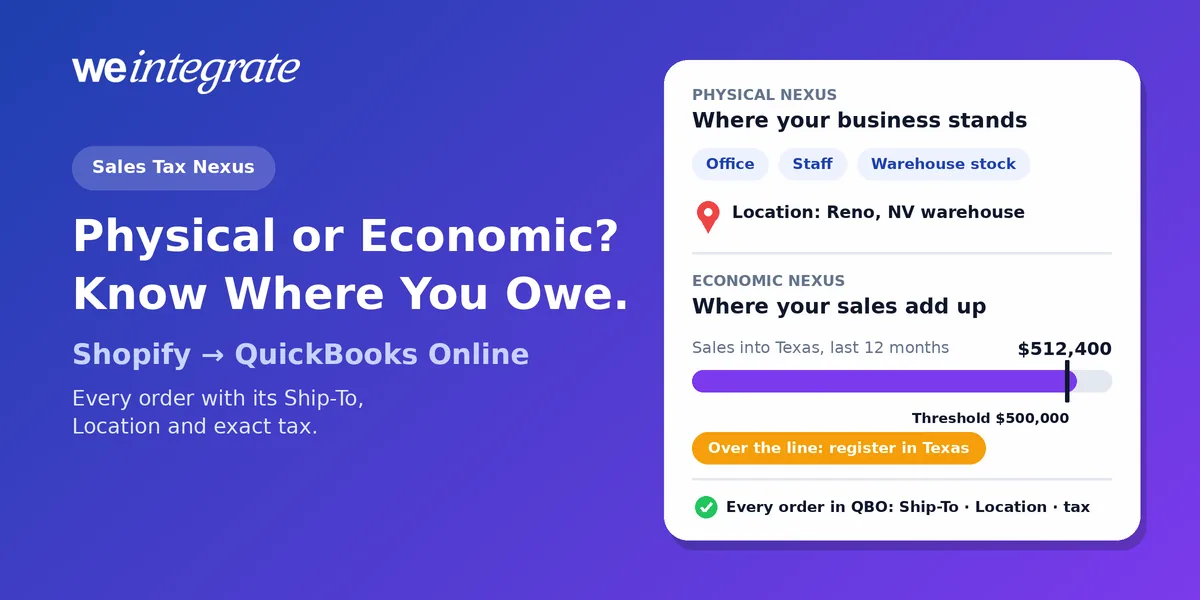
Your Shopify store has one checkout, but it can owe sales tax in a dozen states — and the reason is a single word: nexus. Nexus is the connection with a state that makes you register there, collect its sales tax and file returns. You can get it by being somewhere or by selling enough somewhere, and in 2026 the rules for both keep moving. WeIntegrate makes sure that wherever you owe, QuickBooks Online already holds the proof: every Shopify order as a real transaction, with the addresses, the Location and the exact tax your store charged, to the penny, instantly.
Every Shopify order in QuickBooks Online the moment it happens — with the Ship-To address, the Location and the exact tax your store charged, ready for every state you file in.
Start Your Free TrialWhy “Where Do I Owe?” Got Harder
Until 2018, the answer was simple: you owed sales tax where you were physically present. Then the US Supreme Court decided South Dakota v. Wayfair on June 21, 2018, overruled the old physical-presence-only rule, and found South Dakota’s test — more than $100,000 of sales or 200 or more separate transactions into the state a year — enough to create a sales tax obligation for a seller with no presence there at all.
States with a sales tax have since written their own versions of that test. So there are two doors into a state’s sales tax, and a growing Shopify store can walk through either one without noticing.
Physical Nexus: Where Your Business Stands
Physical nexus comes from having something real in a state. The usual triggers, in the words of the states themselves:
- A place of business — an office, a store, a warehouse. California lists “maintaining inventory or office locations in California” as physical presence.
- People — an employee working in the state, or a representative selling or accepting returns for you.
- Your stock, even in someone else’s building. Washington counts “a stock of goods in Washington, including inventory held by a marketplace facilitator or another third party representative” as physical presence. If a fulfillment warehouse keeps your products in a state, that state may already expect you to collect.
- Trade shows — Washington also lists exhibiting at a trade show to build a market, with a narrow convention exception.
Physical nexus has no sales minimum. One pallet of inventory in the wrong state can be enough.
Your Location Is Where Physical Nexus Starts
This is where your setup matters. Shopify decides where you have physical nexus from your location addresses: once you create a location, “the location address is used to determine nexus” and the store contact address isn’t used for it. Every warehouse, retail store or 3PL (a third-party logistics warehouse that stores and ships for you) belongs in Shopify as its own location.
QuickBooks Online uses addresses too. Its automated sales tax works from “the business location and the ‘ship to’ address listed on the sales receipt or invoice,” and in origin-based states (states that tax a sale where the seller is, not where the buyer is) the seller’s location drives the tax. If those addresses are missing or wrong on the documents in your books, your tax reports drift away from what Shopify actually collected. We covered why Location is the foundation of accurate Shopify accounting back in 2023; in 2026 it matters more, not less.
Economic Nexus: Where Your Sales Add Up
Economic nexus comes from selling enough into a state, with no presence at all. Each state sets its own line:
- $100,000 a year is the most common threshold — for example Arizona and Utah.
- Some big states set it higher. California counts sales above $500,000 in the preceding or current calendar year; Texas uses $500,000 over the previous 12 months.
- The “200 transactions” test is disappearing. States keep repealing it: Utah dropped it on July 1, 2025. Illinois removed it on January 1, 2026, leaving only the $100,000 test (Public Act 104-0006). Kentucky followed on August 1, 2026 (HB 757). A store that once tripped nexus with hundreds of small orders may now be measured on dollars alone — and a store that never counted its dollars per state may be surprised.
- Marketplace sales don’t count the same everywhere. A marketplace facilitator is a platform that collects and pays sales tax on the sales it handles for you. Texas says you “must include all sales… including marketplace sales” when you measure; Arizona says sales made through a marketplace facilitator “are not included.” Same orders, two different answers.
- The clock differs, too — calendar year in one state, a rolling 12 months in another.
Shopify helps you watch the line: its tax liability view marks a state where you have no location Monitoring once your Shopify sales reach 80% of that state’s threshold, and Action required once potential liability is identified. But Shopify is plain about the rest: “It’s your responsibility to determine where you need to charge and to remit taxes” (Shopify Help Center). That view is built from your Shopify sales, so count your other channels too — and keep books that show each Shopify order, by state.
Lump-Sum Books Can’t Tell You Where You Owe
Here’s the problem nobody mentions when they sell you a “simple” sync. An integration that posts a daily or weekly summary journal entry — or waits for a payout and books one total — hands QuickBooks a number with no addresses attached. Tax arrives as a single figure inside the summary, not on each order with its customer and its Ship-To.
That leaves you blind exactly where nexus lives:
- No sales by state. Without a Ship-To on each order, neither you nor your accountant can total sales by state from QuickBooks, so a threshold arrives unannounced.
- No proof at audit time. When a state asks which orders made up your filing, a lump sum can only confirm the total, not show the sales behind it — what we call phantom sales.
- Refunds that don’t reverse cleanly. A return netted into tomorrow’s summary leaves the tax adjustment with no order to belong to.
We showed in our 2025 sales tax deep-dive that tax season doesn’t create these gaps — it reveals them. Nexus is where they hurt most.
How WeIntegrate Carries Nexus Into QuickBooks Online
WeIntegrate has worked on this since we first brought Shopify’s checkout tax and nexus into QuickBooks Online in 2023. Today, whether your nexus comes from physical presence — an office, employees, inventory — or from crossing an economic threshold, WeIntegrate feeds every order exactly what your QuickBooks nexus setup needs:
- Every order as a real transaction, instantly. A Shopify sale becomes a Sales Receipt (QuickBooks’ record of a sale paid on the spot) or an Invoice (the bill you send a wholesale or terms customer), never a lump sum. See why every order belongs in QuickBooks Online.
- The addresses nexus depends on. Each document carries the customer’s Bill-To and Ship-To addresses, the QBO Location, and line items flagged taxable or not.
- The exact tax, to the penny. Whatever your store charged lands on the order under the matching QuickBooks tax agency — the state you file with — and your Sales Tax Liability Report agrees with Shopify for every state you’ve set up.
- Your Location on every document. Set your store’s QBO Location once in WeIntegrate, and it’s applied to every sale it creates. WeIntegrate can also use your Shopify ship-from address for sales and refunds alike — the address QuickBooks sees is the one your order really shipped from.
- Refunds that mirror the sale. A return becomes a Refund Receipt (tied to the sale it reverses) or a Credit Memo (a credit you owe the customer) carrying the same taxable flags, addresses and Location, so the tax comes back correctly.
- Marketplace tax kept apart. When Shopify collects and pays a state for you, that deduction can go to its own liability account — money that was never yours, tax Shopify paid the state on your behalf — on the Professional plan and higher. See how marketplace sales tax is recorded.
US merchants have nothing extra to map: QuickBooks Online’s automated sales tax takes it from there. As you grow into new states, multi-state obligations stay accurate without you touching a WeIntegrate setting: once you’ve registered and added the state in Shopify and QuickBooks Online (move 4 below), its orders simply arrive with their own addresses and tax.
5 Moves to Keep Your Nexus Straight
- Put every location where it really is. Add each warehouse, store and 3PL to Shopify as a location with its real address — Shopify’s physical nexus is only as accurate as those addresses. Then set your store’s QBO Location in WeIntegrate and turn on the ship-from override, so QuickBooks sees the address each order really shipped from. Our guide to managing physical and economic nexus in QBO based on your Shopify locations walks through it.
- Follow your inventory, not just your storefront. If a fulfillment partner stores your products in other states, ask which ones. Inventory held by a third party can create physical nexus, as Washington spells out.
- Watch your sales by state, every month. Use Shopify’s tax liability view (Monitoring starts at 80% of a threshold), then check it against your books. Because every order lands in QuickBooks Online with its Ship-To address, you or your accountant can total sales by state from your books — nothing is buried in a summary.
- Register first, then collect, then file. Register with the state, then add the state and your sales tax ID in Shopify under Settings > Taxes and duties. In QuickBooks Online, Intuit says to “only add tax agencies after your state registration is finalized” (QuickBooks help). WeIntegrate needs no change on its side.
- Know which sales count — and keep the proof. Check how each state treats marketplace sales and which period it measures. Then keep per-order records: when an auditor asks, a real Sales Receipt for each order is the documentation, and month-end close needs no detective work.
Thresholds and rules change, and some states differ in the details. This is general information, not tax or legal advice: check each state’s revenue department, and ask your accountant before you register or stop collecting anywhere. If you’ve already crossed a threshold without registering, ask about the state’s voluntary disclosure program.
Get Started
Nexus decides where you owe. WeIntegrate makes sure QuickBooks Online can prove it — every Shopify order a real transaction with its addresses, Location and exact tax, instantly. That’s financial visibility every day, not just after close. WeIntegrate supports QuickBooks Online in the US, Canada, the United Kingdom and Australia, plus the Global edition — see Shopify sales tax in QuickBooks Online for how it works in each.
Start your free 15-day trial and connect Shopify to QuickBooks Online in about 10 minutes — every order, in every state, recorded to the penny. No credit card required.
See Also
- Location Isn’t Just a Field — It’s the Foundation of Accurate Shopify Accounting — how the QBO Location works for your reports and your nexus.
- Sales Tax Season Doesn’t Create Problems in QuickBooks Online. It Reveals Ones That Were There All Year — the QuickBooks reports that decide tax readiness.
- WeIntegrate Empowers Shopify Merchants to Manage Sales Tax Nexus in QuickBooks Online — where our nexus work began.
- Marketplace Facilitator Tax in Your Shopify Payout Isn’t Revenue — keeping tax Shopify paid for you out of your income.
- Sync Shopify Refunds to QuickBooks Online Automatically — refunds that reverse tax cleanly.
- The Lump-Sum Myth: Every Shopify Order Belongs in QuickBooks Online — why summaries lose the detail you need.